Share to…
Categories
adding power lines adobe fresco animation animation tool beginner digital art bow tie brush customisation character drawing colour picker cutting in digital character animation digital drawing digital drawing techniques divers effects eyes fill tool fish flip book frame by frame frame by frame animation fresco fresco animation fresco liquify fresco pose tool fresco transform tools gockos intro layer masks layers line boil liquify tool locking transparency octopus octopuses onion skin tool pencil photo import pixel layers in fresco posca pose tool scribble shading silhouettes simple animation workflow skulls smudge tool symmetry drawing symmetry tools transform tools in fresco underwater vector brush vector drawing in fresco vector vs pixel layersDigital Skull & Goldfish
by Korp
Nov 09, 2026
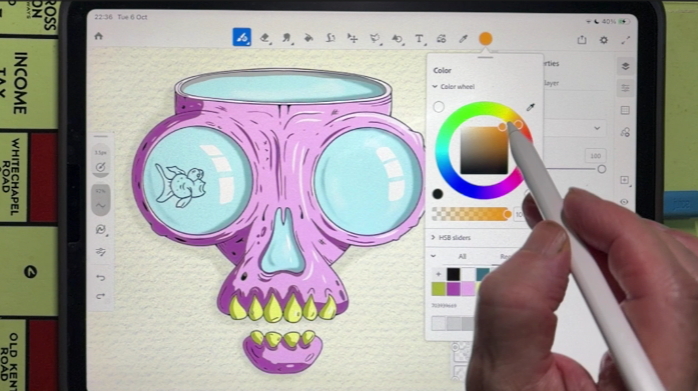
In this Digital Doodle Club tutorial, Rhys is creating a skull with an open top that can be filled with just about anything.
Using Adobe Fresco, he'll show you how to build the skull using symmetry, experiment with textured vector brushes and add shading, reflections and a little goldfish swimming inside.
The idea is to create a skull that you can adapt into different drawings, with the option to animate your fish in a future session.